

v6.0 [Feb 8, 2017]
Host Environments:
- Added support for analysing standalone makefile projects.
- Added support for makefiles within custom project (.vlproj) files. This allows makefiles requiring additional parameters to be analysed more easily.
- Added support for Visual Studio 2017 RC. Note that the IDE will currently issue a warning that the extension is not compatible during installation.
- Speeded up the loading of solutions and workspaces by loading the projects within them in parallel.
Analysis Tools:
- PC-lint Plus crashes ("Serious Errors") are now parsed and reported as Fatal Errors with ID 399.
- PC-lint Plus messages 890-897 are now correctly recognised as referencing ("supplemental", in PC-lint Plus parlance) issues.
- Added PC-lint Plus specific compiler indirect files co-rb-vs2012.lnt, co-rb-vs2013.lnt, co-rb-vs2015.lnt and co-rb-vs2017.lnt, as well as a PC-lint Plus version of lib-rb-win32.lnt. All such indirect files are installed into the Visual Lint installation folder and referenced via -i directives on the generated PC-lint Plus command line.
- When a PC-lint Plus per-project analysis task which uses more than one thread is running, Visual Lint can now dynamically reduce the number of active analysis tasks to take account of the number of analysis threads launched by the analysis task. [Visual Lint Professional and Enterprise Editions]
- PC-lint and PC-lint Plus project indirect (project.lnt) files are now written when analysis tasks requiring them are created rather than when a solution/workspace is loaded.
Installation:
- If the Visual Studio plug-in is selected for installation, a VSIX extension (VisualLintPackage.vsix) supporting Visual Studio 2017 RC is now installed into the Visual Lint installation folder. If Visual Studio 2017 is installed on the target system, the installer will automatically attempt to run the appropriate instance of VsixInstaller.exe to install the extension into Visual Studio 2017 RC.
Configuration:
- When invoked, the Configuration Wizard now opens on the Analysis Tools page. As a result, the "Introductory" page has been removed.
- The indirect files listed in the Configuration Wizard PC-lint Compiler Configuration page are now sorted primarily by description rather than filename. This works better than sorting by filename as the naming conventions for MSVC compiler indirect files between PC-lint and PC-lint Plus are slightly different.
- Added an "analysis threads" option to the Command Line Options page to allow the value of the PC-lint Plus -max_threads option to be set on the command line in per-project analysis. [Visual Lint Professional and Enterprise Editions].
- Renamed the "Maximum background analysis thread count" option on the Analysis Options page to "Maximum background analysis tasks".
User Interface:
- Added a new Projects Display to VisualLintGui to provide a way of viewing the structure and properties of projects.
- Added a new Project Properties Dialog to provide a way of viewing (and in the case of custom projects, editing) project properties. The dialog is available via context menu commands in the Projects Display and Analysis Status Display.
- Added a new Project Variables Dialog to display the build variables defined in the associated project configuration.
- Added a new Makefile Properties Dialog. Where appropriate, the makefile command line can be edited here and the makefile output seen immediately.
- Added an "Issue IDs" control (similar to the one in the Analysis Statistics Display) to the Display Filter Dialog as an alternative to editing the raw issue filter directly. Note that this control will be hidden if the dialog does not have access to a list of the issues which can be detected by the current analysis tool.
- Replaced the discrete "Clear Text Filter" buttons in the primary displays with integrated ones built into the corresponding text filter edit controls.
- Added infotips to the Analysis Statistics Display.
- When the current host environment is changed (e.g. when projects for different versions of Visual Studio are loaded) the details are now reflected in the Status View.
- The "Analysis Tool:" message displayed in the Status View when Visual Lint starts now shows which host environment/project type the active analysis tool relates to.
Commands:
- Added an "Export Project" command to the Analysis Status Display context menu to export the current project as a custom project (.vlproj) file.
- Added an "Export Analysis Results" context menu command to the Analysis Status Display context menu.
- Added a "File | New Project" command to VisualLintGui to allow new custom projects to be created directly within the environment.
- Rearranged the VisualLintGui "File" menu and added accelerators to the "File | Open | Solution/Workspace/Project..." and "File | Open | Eclipse Workspace..." commands.
- Added a "Send Feedback" command to the main menus in VisualLintGui and the Visual Studio and Eclipse plug-ins.
v4.0 [Mar 7, 2013]
Modified the Visual Studio plug-in to guard against erroneously duplicated EnvDTE::SolutionEvents::Opened() events sourced by Visual Studio 2012. These caused an obscure race condition during the solution load process, which could obviously cause instability or unpredictable behaviour while Visual Studio was loading a solution.
v3.0 [Dec 12, 2011]
Analyse C, C++, C# and Java codebases using industry standard code analysis tools
Automated incremental analysis of complete solutions and workspaces while you edit
Simple lookup of the meanings of identified issues
Detect unused C/C++ include files
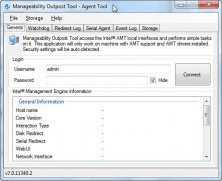


Is a powerful tool that helps designers and/or developers understand Intel vPro.


It is a program that manages all your learning progress data.


This software enables users to analyze information in Visual Studio


